Parties and subject
Main contractor, subcontractor, the project and a description of the work.
Home / Subcontractor agreement
A subcontractor agreement is the contract in which the main contractor, handing part of the work to another firm, puts scope, price, duration, retention and each party's obligations in writing. In Endaze you enter the subcontractor, scope, unit rates, retention and penalty rates; the standard agreement text is drafted clause by clause, and subcontractor billing is tied to it.
This is a general checklist, not legal advice. Have your lawyer read the agreement before you sign.
Main contractor, subcontractor, the project and a description of the work.
Which works are included; for unit-rate work a rate schedule (often Annex 1), for lump-sum work a total price.
Contract value in figures and words, currency, billing period and payment term.
Start and finish dates, and the duty to follow the main schedule.
Retention rate deducted from each billing, advance and its recovery, terms for releasing retention.
Penalty rates for delay and defective work.
The subcontractor's health, safety and insurance duties for its own workers.
Who supplies materials, and how materials supplied by the main contractor are deducted from billing.
When the agreement can be terminated; competent courts.
You enter the details once and the text is written from them. If you enter no advance or special terms, those clauses are left out. Like every other document, the agreement goes through your approval workflow.
Every billing for this subcontractor is tied to the approved agreement: unit rates and the retention rate come from it. See progress billing software for the details.
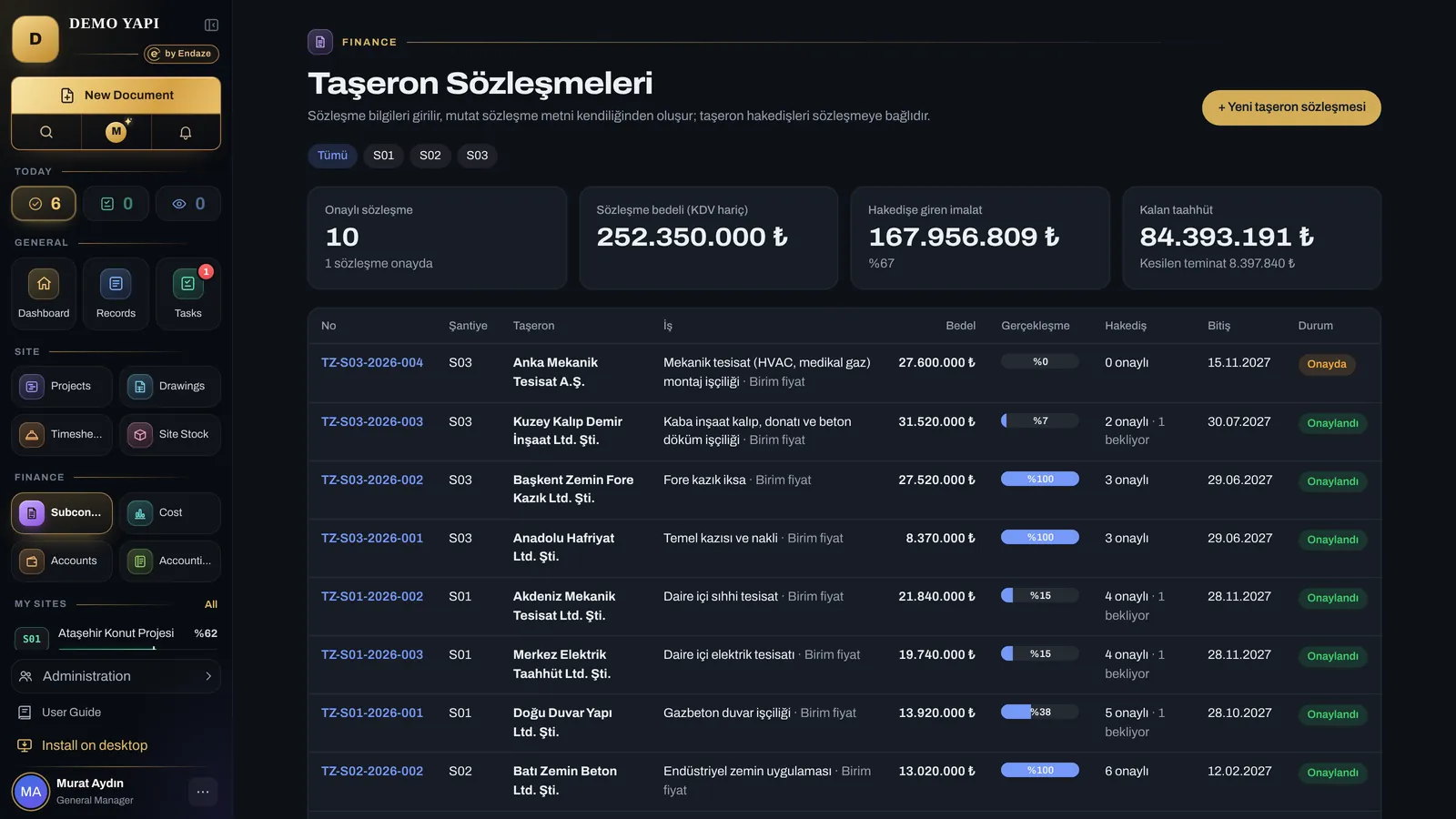
The subcontract screen shows each subcontractor's value, work billed, remaining commitment and retention held. Remaining work appears in the project cost report as open commitment, so the cost to complete counts promises made as well as money spent.
There are many online, but a sample that is not adapted to your job leaves scope, retention and penalty clauses open. In Endaze the text is built from the details you enter, and your company can use its own template. Either way, have your lawyer read it before signing.
Under a unit-rate agreement, payment is the quantity of work done times the unit rate; if quantities change, the price changes. Under lump-sum, one price is set for the whole work. Endaze supports both.
The rate in the agreement (for example 5%) is applied to each billing's amount excluding VAT. In Endaze the rate is entered in the agreement, deducted automatically on subcontractor billing, and the total held shows on the subcontract screen.
Yes. You get a signature-ready PDF and an editable Word file, with the Annex 1 rate schedule.
Yes. The value can be in TRY, USD or EUR, written in figures and words.
Leave your details and we will get in touch. The demo is filled with a fictional construction company's three projects; we will open and approve documents together and show how they post to cost and accounts.
We would like to use Google Analytics, Google Ads, Meta (Instagram) and LinkedIn cookies to improve the site and our ads. The site works the same if you decline. Details