Purchase requests by phone, approvals on WhatsApp
Every request is a numbered document; who approved it, and when, is on record.
Construction project management
The site manager opens a request on the phone; the general manager approves it from the office. Bids, orders, progress bills, stock, cost and accounts all run from the same document; nobody types the same thing twice.
Nothing to install · Phone, tablet and computer · Turkish and English
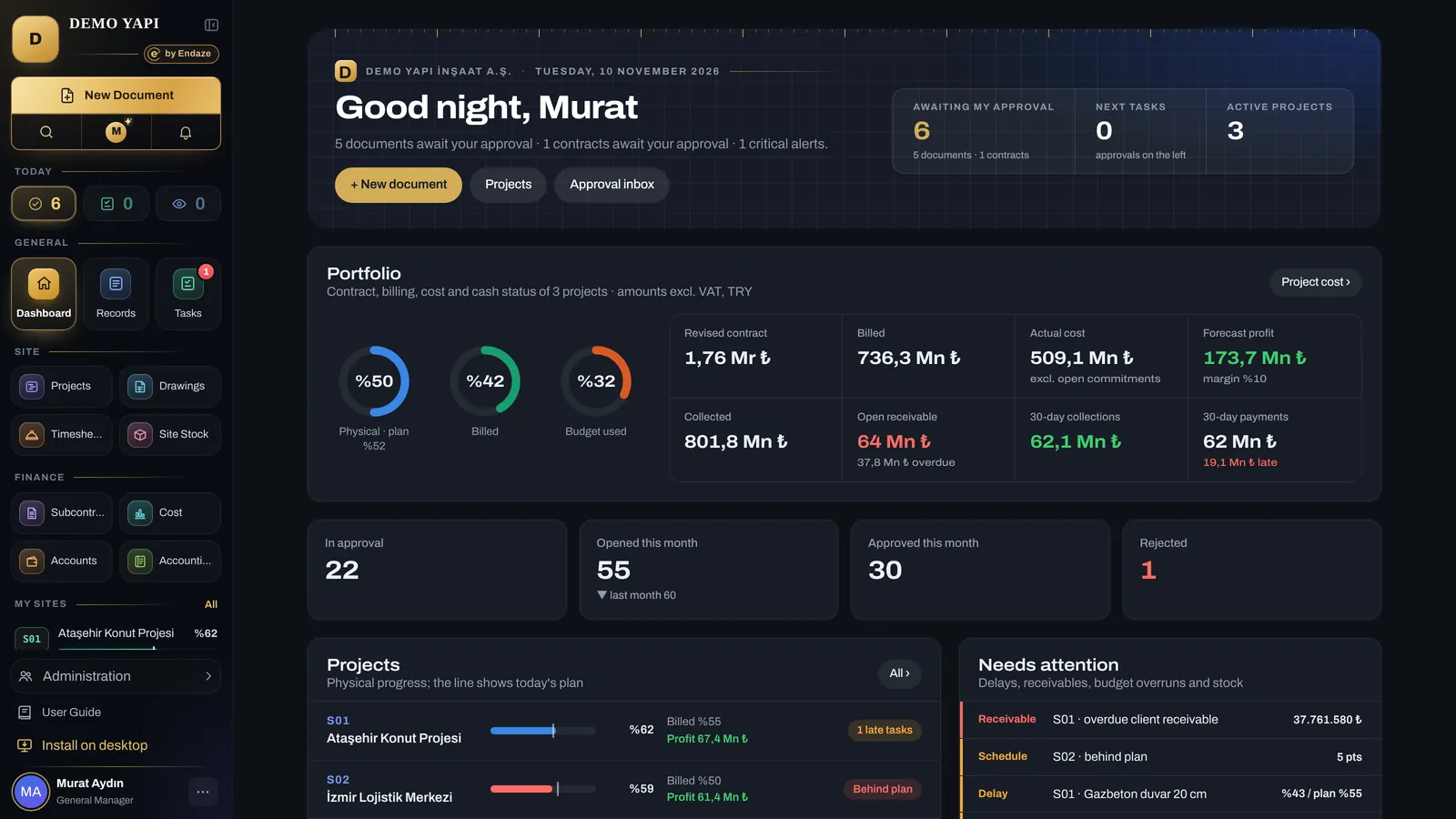
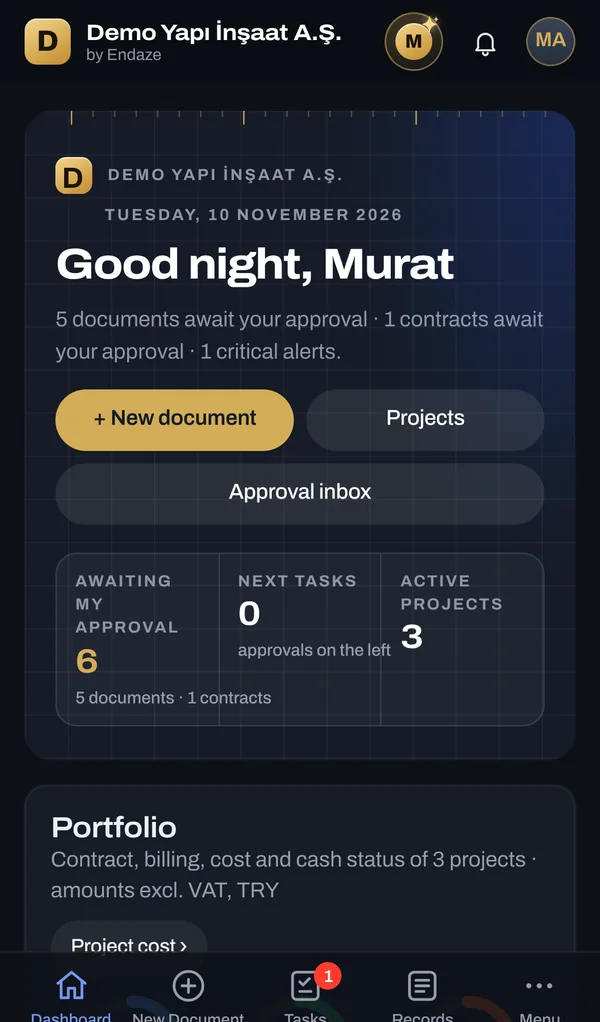
In real use. Since 1 November 2026 Endaze has been used every day on the sites of a construction company, from procurement to progress billing.
What changes
Purchase requests by phone, approvals on WhatsApp
Every request is a numbered document; who approved it, and when, is on record.
Progress bills in Excel, last period copied by hand
Each bill grows from the previous one; cumulative quantities carry over automatically.
Cost learned from accounting at month end
Every approved order and progress bill reaches the cost report by cost code at once.
What we owe whom lives in a separate ledger
Payables from received goods and approved bills sit with the payments in one statement.
Who gains what
You know where you stand without waiting for month-end.
Progress billing and the schedule run from the same bill of quantities.
Requests start on site, and you can see who holds them.
You never type the same information twice.
How it works
In purchasing, each step is created from the previous one. Nothing is retyped, and no document drops out of the chain.
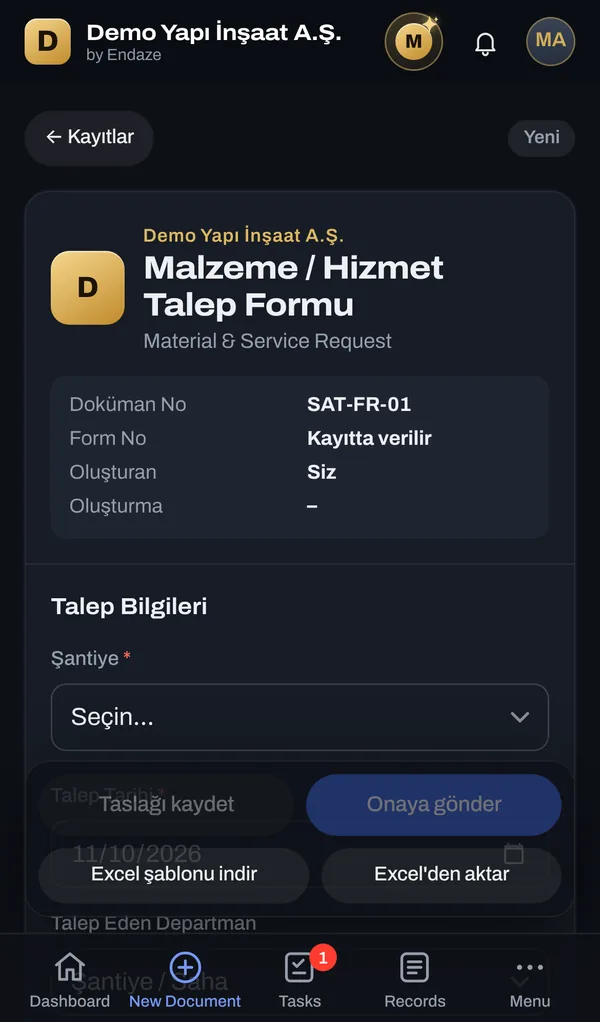
The site manager raises it on the phone: what, how much, by when.
The document goes to the right people in the order your company defines.
Supplier bids side by side; one click picks the best price on every line.
The purchase order is created in one click; delivered quantities go into stock.
The amount posts to cost by cost code, and the payable to the supplier account.
Animation: the site manager sends a material request for 40 tonnes of rebar from the phone; the general manager approves it on the computer; the request becomes a bid comparison, a purchase order and a goods receipt, and is posted to project cost.
Modules
Screens from the demo company, as they are. Pick a module.
What awaits your approval, the portfolio's contract, billing, cost and cash position, plus delay and budget alerts.
Control
Who sees what, who approves what and what can be undone follow your company's rules; every step is on record.
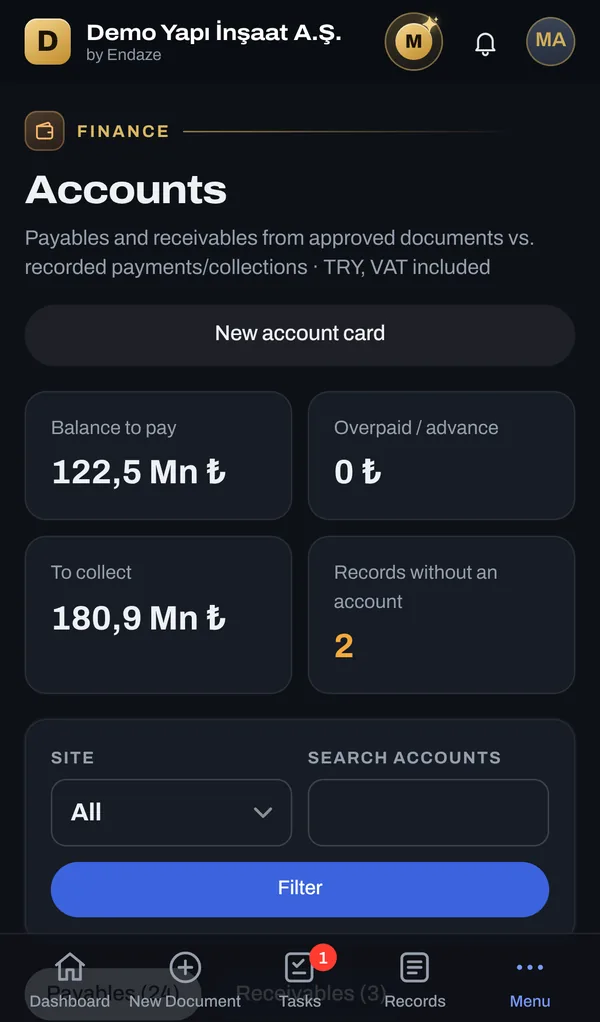
Payables come from received goods and approved bills; receivables from client progress bills. A payment linked to a document goes to the right account automatically, and different spellings of a company merge into one account card.
An approved document cannot be cancelled by one person. The General Manager, Project Manager or Technical Office Manager asks; one of the other two approves.
Payables are visible to the GM, Project Manager, Technical Office Manager and Accounting; receivables only to the GM and Accounting. Cost screens have their own permission.
Every approval, rejection, cancellation request and IBAN or tax number change is stored with who did it and the old value.
A setup guide walks you through company details, logo, sites, users and approval workflows. Users set their own password from an emailed link.
AI assistant
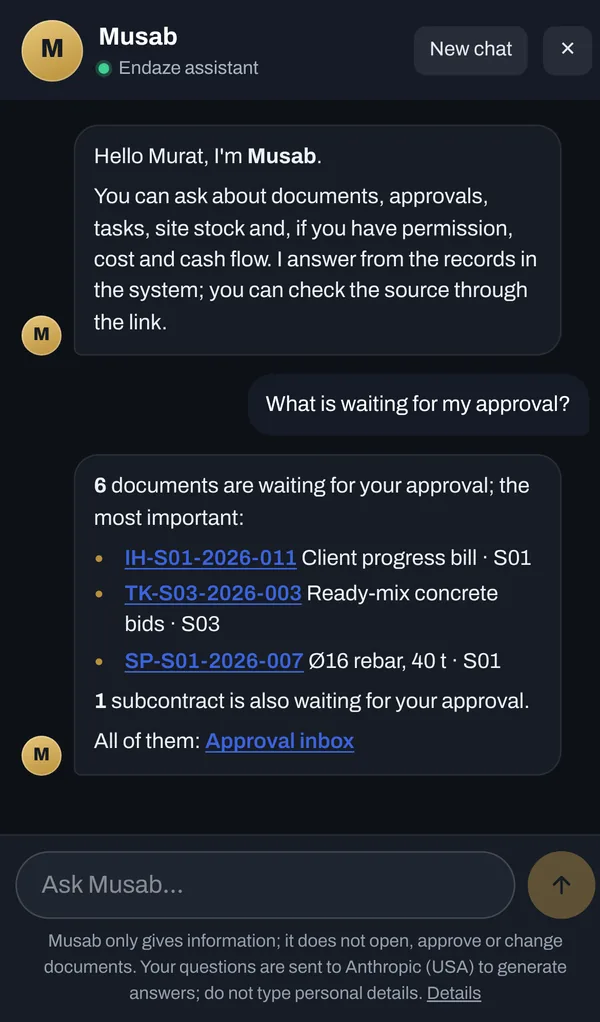
Ask Musab in plain language from the corner of the screen: “What is waiting for my approval?”, “Which cost codes are over budget on S01?”, “Which payments are due this week?”. Answers come from the documents in the system, each with a link to its source.
To answer, Musab sends only the relevant records the asker is allowed to see to Anthropic's Claude model; this data is not used to train the model.
Document library
Every document is numbered and downloadable as PDF, and cannot be changed once approved. A wrong document is never deleted; it is cancelled with a reason and the approval of two managers.
Subcontracts
Enter the subcontractor, scope, unit rates, retention and penalty rates; the standard contract is produced article by article. Progress bills attach to the contract, and remaining work shows as committed cost.
SUBCONTRACT AGREEMENT
Housing Project · Formwork and rebar labour
ARTICLE 3 – CONTRACT PRICE
3.1. The contract price, based on the Annex 1 unit price list and excluding VAT, is TRY 750,000.00 (seven hundred and fifty thousand Turkish lira).
ARTICLE 4 – DURATION
4.1. The start date is 10 March 2026 and the completion date is 31 December 2026. The Subcontractor shall follow the Contractor's work schedule.
ARTICLE 6 – RETENTION
6.1. A retention of 5% is deducted from each progress bill, excluding VAT.
On site
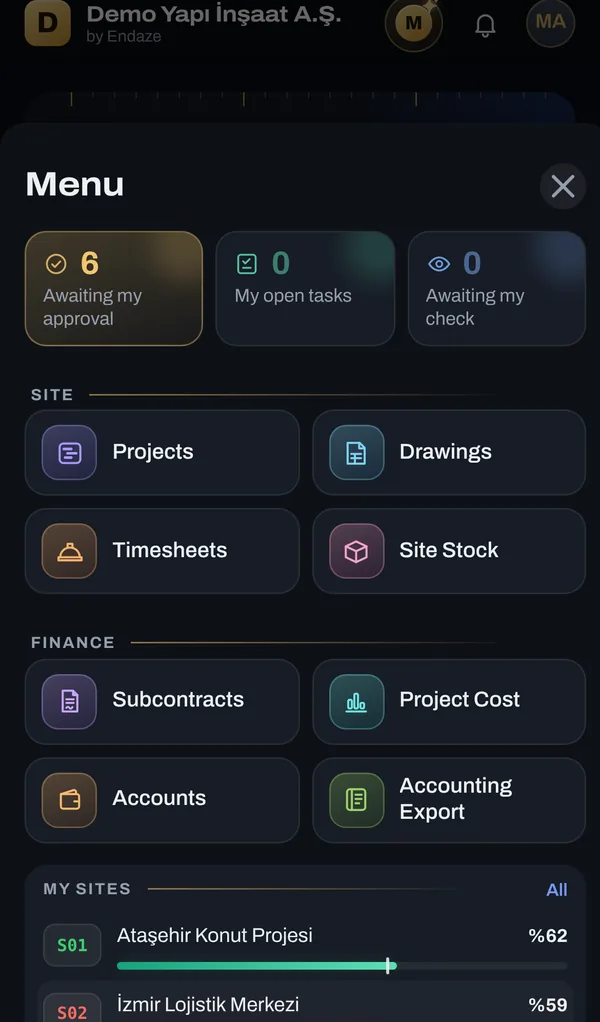
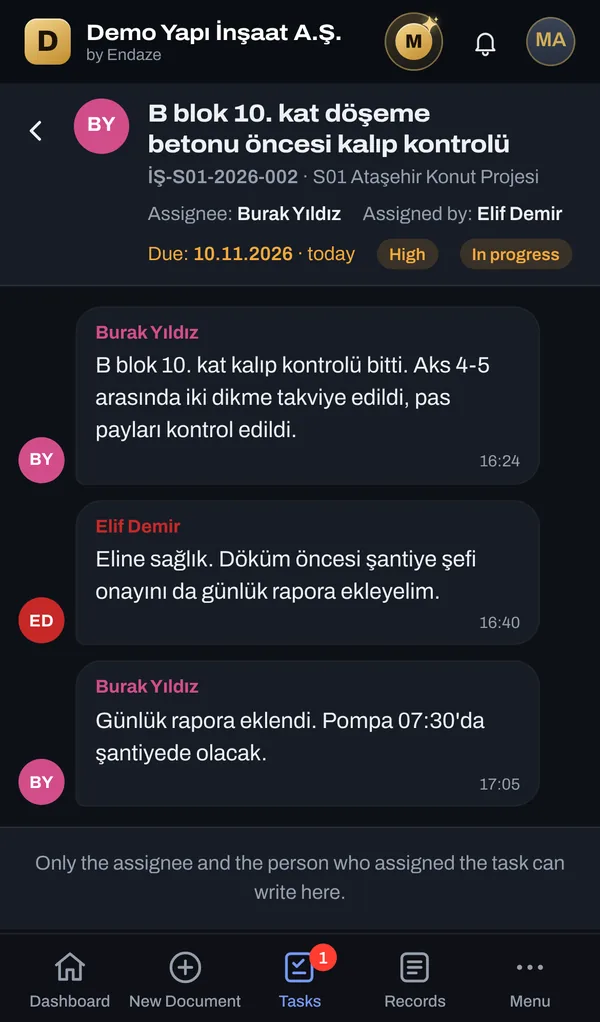
Endaze is added to the phone like an app, with no app store download. The site manager opens a request on site and adds a photo; the manager approves between meetings. Tasks are discussed like on WhatsApp, but the work stays in the system.
Getting started
You do not have to wait for a project to finish before moving to Endaze. Ongoing work is taken over as it stands today, and the team continues in the system from where it left off.
Your bill of quantities is uploaded from Excel; contract value, items and unit prices are ready.
The work schedule is imported from Excel and today's progress percentages are entered.
The first progress billing carries the cumulative quantities of earlier periods; later billings continue from there.
The budget comes from an Excel template, current stock is entered with a goods receipt, and the staff list is set up for timesheets.
Users are invited by e-mail, set their own passwords and start working the same day.
Records of closed projects and older documents are planned together during the transition.
Overview
Data and permissions
Each company's data lives in its own database and never shares a table with another company's records.
The application and database run on servers in Frankfurt; connections are encrypted.
Everyone sees only their sites and the documents for their role; money screens have separate permissions.
Every approval, rejection, correction and cancellation is stored with who did it and when.
Pricing
Every module in one subscription. Companies that start by 31 December 2026 become founding customers and keep a special price in the years after.
First subscription year at 50% off
List price
Companies that start in the founding period keep the founding price, not this one.
Slide to see the yearly amount.
Prices are in US dollars, excluding VAT. Invoices are issued in Turkish lira at the CBRT selling rate on the invoice date.
Frequently asked
Anything else? Write to info@endaze.co.
A separate space is opened for your company; the setup guide walks you through company details, sites, users and approval workflows. Users set their own password from an emailed link; nothing is installed on computers or phones.
Yes. For each document type you choose the approving roles and their order from the admin screen; sites can have different workflows.
It is never deleted. A revision is opened or a cancellation is requested; cancelling an approved document needs two of the General Manager, Project Manager and Technical Office Manager. Linked documents (orders, bills, payments) are resolved first.
Yes, for drawings only. An external user sees and downloads the current drawings of the project they are assigned to and cannot open any other screen. They are notified by e-mail when a new revision is issued.
No; Endaze does not keep statutory books. It matches payables and receivables from approved documents against payments and shows what you owe whom right now. An Excel export for your accounting software is also included.
Yes. Ongoing projects are taken over with their contract, bill of quantities, schedule and current billing position; the bill of quantities, schedule, budget and timesheets are uploaded from Excel. Records of closed projects are planned together during the transition.
Contractors in housing, commercial, infrastructure and refurbishment work, and any construction company working with subcontractors. There is no limit on sites, users or workflows.
In Excel every file lives on its own and you cannot trace who approved what, and when. In Endaze requests, orders, bills, timesheets and accounts share the same data; every approved record reaches the cost report automatically, with its history kept.
To answer a question, Musab sends only the relevant records the asker is allowed to see to Anthropic's Claude model; this data is not used for training. The assistant is turned on when the General Manager accepts the privacy notice; otherwise it stays off.
Yes. Each user picks Turkish or English for the screens, and Musab answers in the chosen language. Documents and PDFs are moving to English step by step.
The list price is $80 per user per month, paid yearly, with a minimum of 25 users. Founding customers who start by 31 December 2026 get the first 3 months free and the first subscription year at 50% off ($40), with a minimum of 10 users, and keep a special price in the following years. Prices exclude VAT.
Live demo
The demo is full of a fictional contractor's three projects. Open documents, approve them and see how they reach cost and accounts.
Companies that start by 31 December 2026 get 3 months free and 50% off the first year. See pricing