Material request
What, how much, by when; with a photo. Once approved, it moves to procurement.
Home / Site management app
A construction site management app records what happens on site (material requests, daily reports, assigned tasks, attendance, stock in the site store) and shares it with the office at the same time. In Endaze the site chief enters these from a phone; each record goes through your approval workflow, and project and general managers follow every site on the same screen.
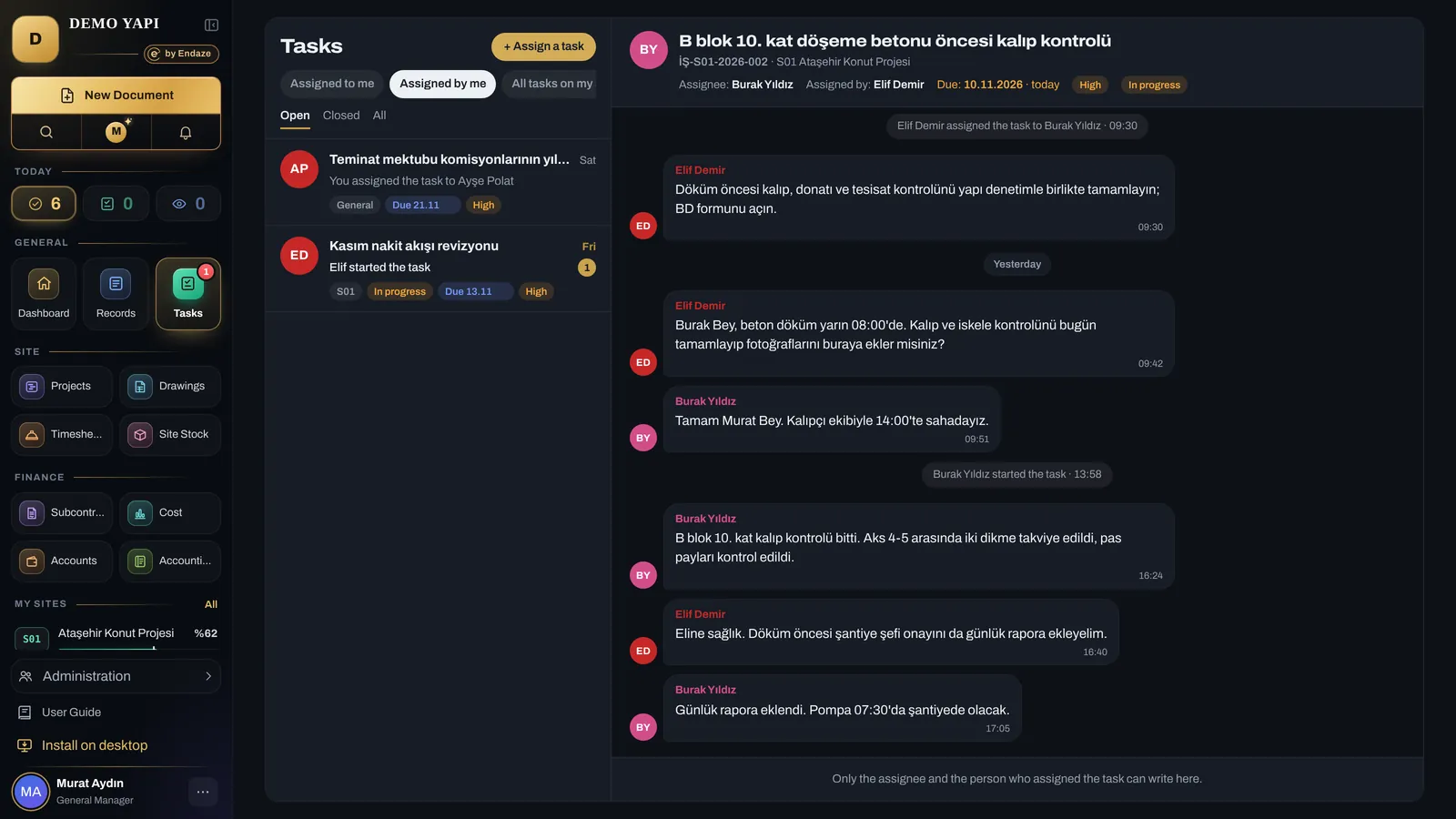
Endaze is added to the phone like an app; no store download. Phone, tablet and computer show the same data.
What, how much, by when; with a photo. Once approved, it moves to procurement.
Daily report, meeting minutes and site inspection report come as ready document types.
Managers assign work down the line; messages, photos and due-date reminders in one place. The assigner checks and closes it.
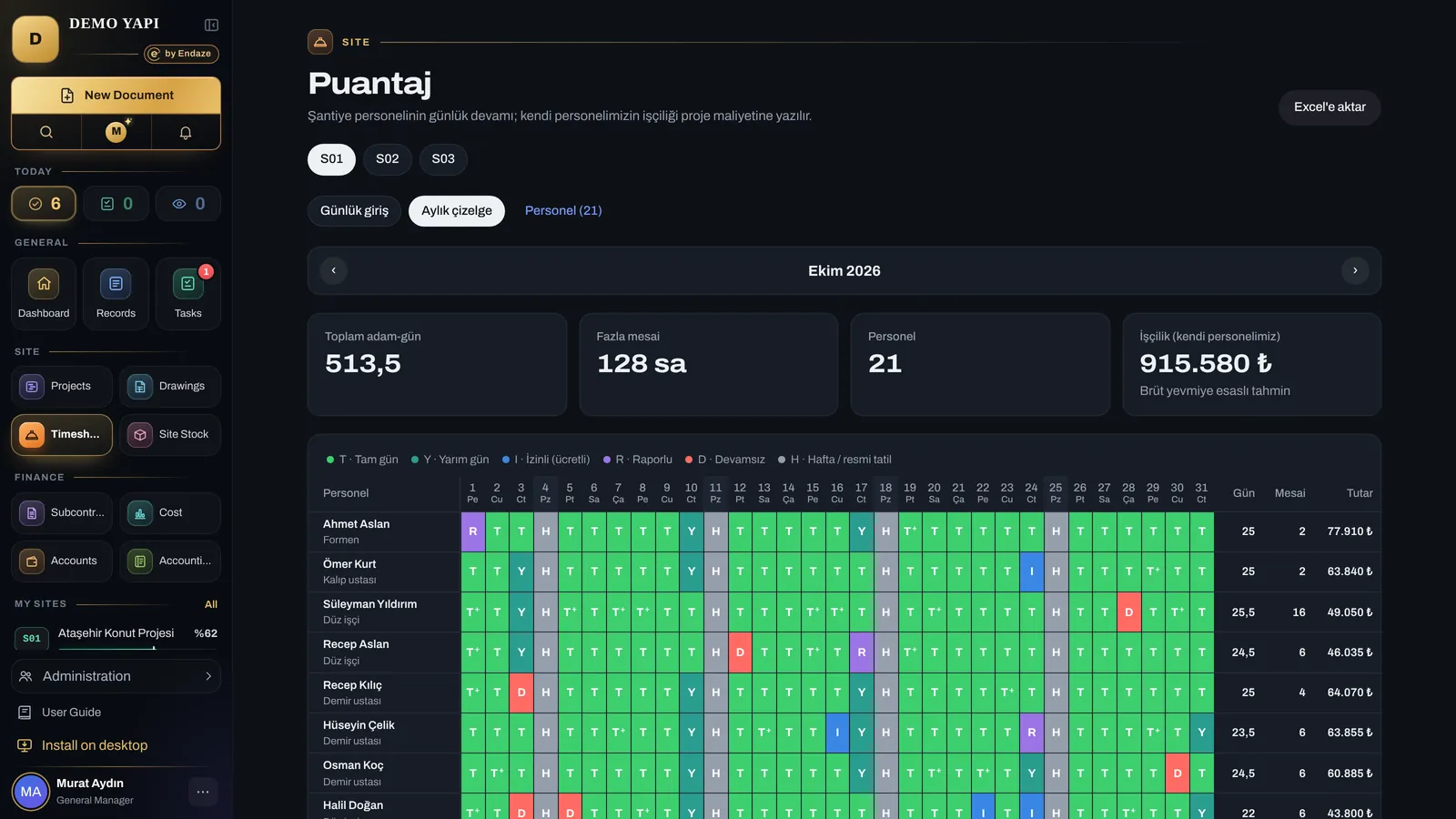
Daily attendance by hand or from an Excel template; your own staff's labour cost posts to the project.
Stock is calculated from goods-received and issue documents; items below minimum stock raise a warning.
Concrete pour, work inspection, non-conformity, HSE audit, incident report, permit to work and PPE issue forms are ready.
WhatsApp is quick, but work gets lost in it: who asked for what, who approved it, whether it is done; three days later nobody can find it. In Endaze messages are still short and on the phone, but every task and request stays as a numbered record.
Pending approvals, progress by project, billing, cost and cash position, delay and budget warnings.
Planned and actual progress on an S-curve; items more than 10 points behind plan count as delayed.
Once a revision is approved, the site and outside firms (design office, consultant) see only the latest issue.
Ask in plain words, such as “Which requests are waiting at S01?”; answers come from your records with a link to the source.
No. Endaze opens in the browser and is added to the phone's home screen like an app; no store download. Phone, tablet and computer show the same data.
Material requests, daily reports, meeting and inspection minutes, timesheets, goods received and issued, quality and HSE forms. Photos and files can be attached.
No. Everyone sees only the sites they are authorised for and the documents for their role; cost and cash screens have separate permissions.
Outside firms such as the design office or a consultant can be users for drawings only; they see and download the current drawings of their assigned project and cannot open any other screen. Subcontract and billing records are kept by your company.
Each day is marked full, half, paid leave, sick, absent or holiday; your own staff's gross day rate and overtime post to project cost. Employer social security is not included; subcontractor staff are not costed from the timesheet.
Leave your details and we will get in touch. The demo is filled with a fictional construction company's three projects; we will open and approve documents together and show how they post to cost and accounts.
We would like to use Google Analytics, Google Ads, Meta (Instagram) and LinkedIn cookies to improve the site and our ads. The site works the same if you decline. Details