Carry over the previous period
Copying last month's sheet and fixing the cumulative by hand is where unnoticed errors come from.
In Endaze: each billing starts from the previous one; cumulative quantities carry over.Home / Progress billing software
Progress billing software calculates, for each period, the work done against the contract's items and unit rates, the cumulative total, the deductions and the net amount payable. In Endaze, client billing fills in from the bill of quantities, subcontractor billing is tied to the subcontract, each billing starts from the previous one, and the moment it is approved it posts to project cost and accounts.
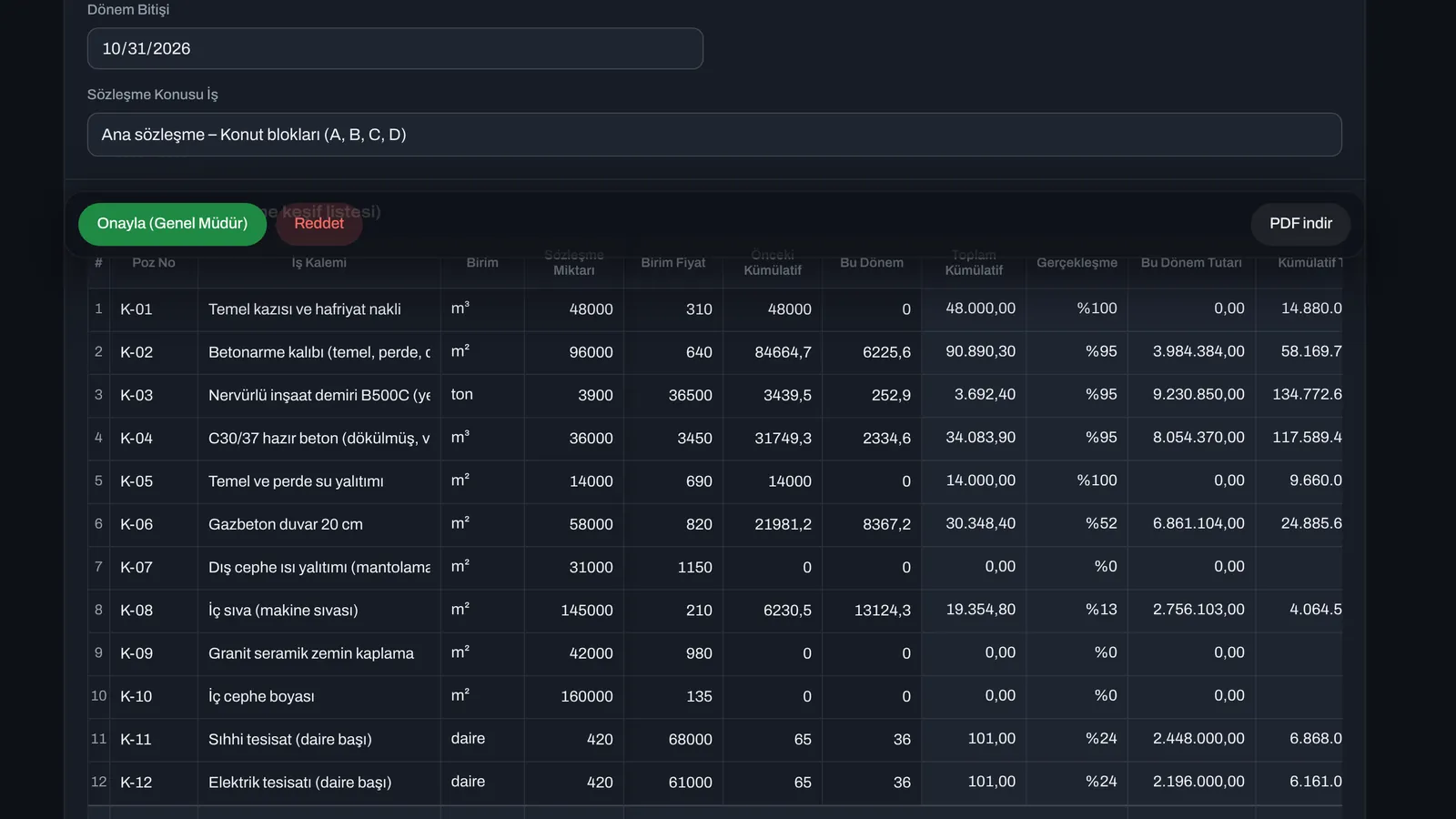
The real problem with billing in Excel is not the arithmetic; it is linking one period to the next by hand. These six points let the software keep that link.
Copying last month's sheet and fixing the cumulative by hand is where unnoticed errors come from.
In Endaze: each billing starts from the previous one; cumulative quantities carry over.Billing lines should come from the contract's items and unit rates; work outside the list should be kept as variations.
In Endaze: client billing fills in from the BoQ; approved variations are added to the revised contract value.VAT, withholding, stoppage, retention and advance recovery should follow the same rule every period.
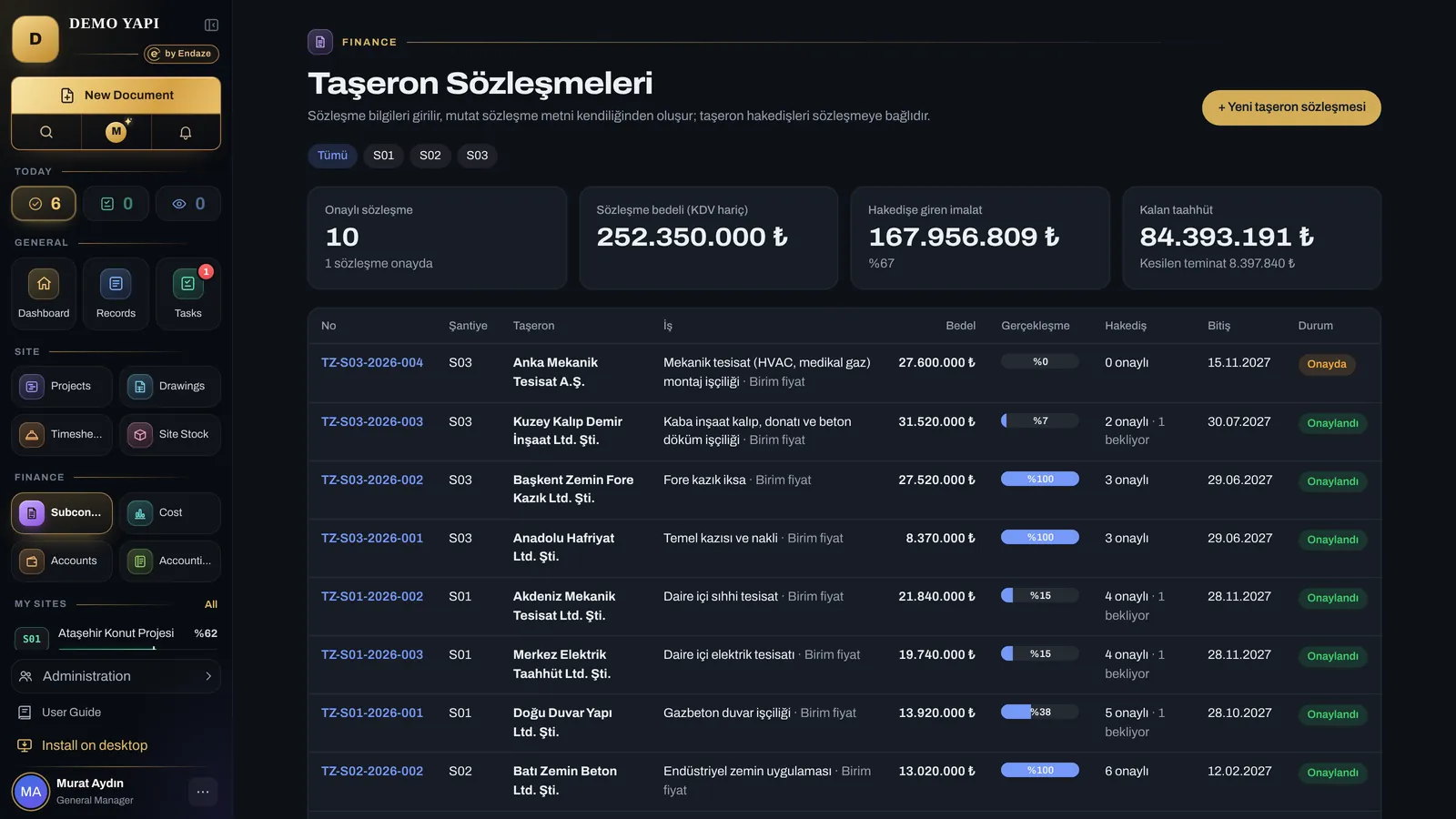
In Endaze: these are calculated from the rates in the contract.What you pay a subcontractor should stay tied to the signed agreement and its retention.
In Endaze: subcontractor billing is tied to the subcontract; remaining work shows as open commitment in cost.On a currency-based job, billing is in that currency and the invoice in lira; nobody should look up the rate by hand.
In Endaze: TRY, USD or EUR contracts; the invoice amount uses the central bank selling rate.You should see who prepared the billing, who approved it and when.
In Endaze: it goes through your approval workflow; approved billing cannot be edited and downloads as PDF.A progress billing is not just a payment document; it also sets the project's margin and cash. In Endaze an approved billing posts to several places at once.
You do not have to wait for a project to finish before switching to Endaze.
Your Excel bill of quantities is uploaded; items, quantities and unit rates are ready.
On the first billing you enter the cumulative quantities of earlier periods.
Enter subcontractor, scope, unit rates and retention; billings attach to these agreements.
The next period carries on from the cumulative; the team starts work the same day.
In Excel each period is a new file; the previous cumulative is carried by hand and a mistake passes into the next month unnoticed. In billing software the periods are linked: the cumulative carries over, deductions follow the same rule, and approved billing posts to cost and accounts.
VAT, withholding, stoppage, retention and advance recovery, using the rates in the contract. On subcontractor billing, retention comes from the rate in the subcontract.
Every subcontractor billing belongs to a subcontract. The subcontract screen shows value, work billed, remaining commitment and retention held together; remaining work appears in the cost report as open commitment.
Endaze is designed for private-sector work and does not produce the official public-tender billing format. On public jobs it can be used for your own internal tracking: subcontractor billing, procurement and cost.
Yes. Approved billing downloads as PDF, and there is a separate Excel export for your accounting software.
Leave your details and we will get in touch. The demo is filled with a fictional construction company's three projects; we will open and approve documents together and show how they post to cost and accounts.
We would like to use Google Analytics, Google Ads, Meta (Instagram) and LinkedIn cookies to improve the site and our ads. The site works the same if you decline. Details